
TV, Video Wall or Kiosk? How to Choose Displays for Your Trade Show Booth
· By admin · Event Technology, Technology Rentals
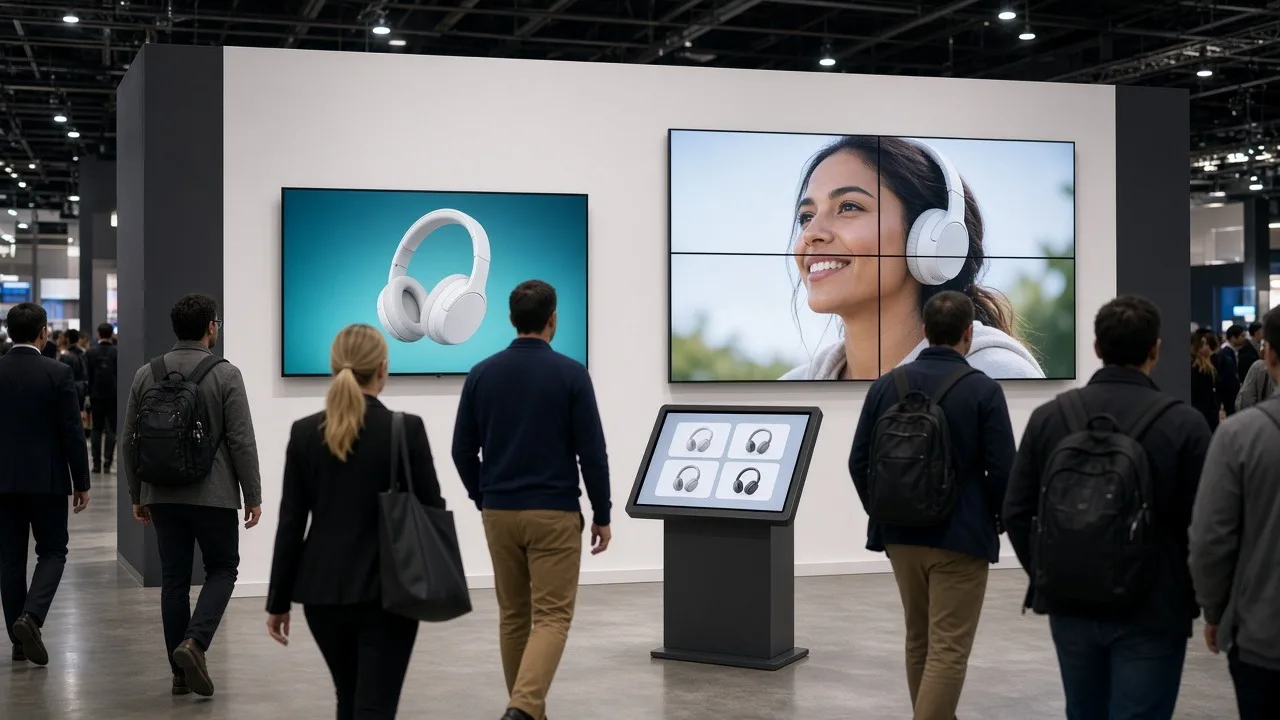
A screen is often the first thing attendees notice in a booth. It can pull people in from the aisle, explain your product without a salesperson, or give visitors something to do while they wait. It can also be the most expensive thing in the booth that nobody looks at, if it's the wrong size, in the wrong spot, or showing the wrong content.
This guide compares the three most common booth display choices, a single large TV, a video wall and a touchscreen kiosk, and explains how to choose.
Start with what the screen needs to do
Before picking hardware, write down the one job the screen has. Most booth displays do one of these:
- Attract: grab attention from the aisle with motion and color.
- Explain: run a product video or slide loop that answers common questions.
- Engage: let visitors explore, sign up or take a quiz on their own.
- Present: support a live demo or scheduled presentation.
Attract and explain jobs favor big, high-mounted screens. Engage jobs need a touchscreen at a comfortable height. Present jobs need a screen your presenter and audience can both see. If you have two jobs, you may need two screens.
Option 1: A single large TV
A single large flat-panel display is the most common booth screen, and for many booths it's the right one. It's simple to ship, quick to set up, and easy to run from a laptop or media player.
Large TVs work well when:
- Your booth is a 10x10 or 10x20 inline space.
- Your content is a looping video or slide deck.
- You want to mount the screen on a stand or truss above table height so it's visible over people's heads.
Size the screen to the viewing distance. Attendees in the aisle are often several feet away, so text and graphics need to be large and simple. Our booth display size guide explains how to match screen size to your booth and aisle.
Option 2: A video wall
A video wall joins several thin-bezel displays into one large image. It's built for impact. A wall can carry a big brand moment, run one video across all panels, or split into zones for different messages.
Video walls make sense when:
- You have an island or larger peninsula booth with long sight lines.
- Your brand relies on motion graphics or large imagery.
- You want a backdrop that replaces printed graphics.
A wall takes more planning than a single TV. It needs a stand or frame rated for the panels, a video processor or controller, more power, and content made for its exact resolution and shape. It also takes longer to set up and tear down. Build that time into your move-in schedule, and confirm the booth's height limits in the exhibitor prospectus before you plan a tall wall.
Option 3: A touchscreen kiosk
A kiosk puts an interactive screen at standing height in a freestanding enclosure. It's the best choice when you want visitors to do something: browse products, fill out a lead form, take a survey, or play a short game.
Kiosks work well when:
- Your booth staff can't talk to everyone during busy periods.
- You want to capture leads without a staff member typing.
- Your content is an app, web page or interactive presentation.
Keep kiosk content simple. One clear starting screen, large buttons and a short path to the goal work better than a deep menu. Place the kiosk near the aisle edge of the booth so people feel comfortable stepping up, and plan who checks on it during the day. See our kiosk rentals for enclosure styles.
Combining displays
Many booths use more than one type. A common setup is a large TV or small video wall at the back for attract content, with a kiosk or tablet stand near the front for engagement. If you combine displays, plan content that works together: the big screen catches attention, and the kiosk gives the next step.
Practical details to check
Whatever you choose, confirm these before the show:
- Power: Count every display, media player and charger, and order enough booth electrical through the show's official forms. Electrical, internet, drayage and union labor fees are set by the venue and its contractors, and the exhibitor is responsible for them. Check the exhibitor prospectus for details.
- Mounting: Decide whether each screen sits on a floor stand, table stand, truss or built-in booth structure.
- Content: Test your files on the actual screen size and resolution before you leave.
- Shipping and setup: ConventionVendor.com display rentals ship nationwide with prepaid return labels. On-site delivery and setup is available in many areas as an extra-cost add-on if you'd like a technician to install the displays.
Get a display recommendation
Tell us your booth size, show and what you want the screen to do, and we'll suggest the right mix of booth TVs and video walls or kiosks. Request a quote to start planning.