Shipping Rented Booth Technology to a Convention Center: A Planner's Checklist
· By admin · Technology Rentals, Event Planning Tips
Renting booth technology solves a lot of problems for exhibitors. You don't have to buy screens you'll use a few times a year, store them between shows, or pack them into the same crate as your graphics. But rented gear still has to get to the show, get to your booth, and get back again. Most of the stress around booth technology comes from that trip, not from the equipment itself.
This checklist walks through how to plan shipped booth technology for a convention center show, from the order to the return label.
Start with the exhibitor prospectus
Before you pick a delivery address, read the exhibitor prospectus and the exhibitor service kit for your show. They tell you where shipments can go, when the venue accepts freight, and which forms you need to file. Some shows want everything routed through an advance warehouse. Others accept direct-to-show-site shipments only during set move-in windows.
These documents also explain venue charges that belong to the exhibitor. Drayage (material handling), union labor, booth electrical and internet are billed by the venue or its official contractors. The exhibitor is responsible for any of those fees, so check the prospectus early and budget for them separately from your rental quote. Our guide to shipping to convention centers covers the common routing options in more detail.
Decide where the rental should ship
You usually have three choices:
- The advance warehouse named in your service kit, if your show uses one and accepts rental shipments.
- The show site directly, during the published move-in window.
- Your hotel or local office, so a team member can carry smaller items, like tablets, into the hall.
Each option has tradeoffs. Shipping to the advance warehouse or show site keeps gear out of your hands until move-in, but it means the venue's material-handling rules apply. Shipping to a hotel or office gives you control, but you need a person, a cart, and a plan for getting the cases through the right entrance. Tell your rental coordinator which option you've chosen when you request a quote, so the paperwork and labels match.
Label everything twice
Rental cases go through a lot of hands at a busy show. Make sure each case is labeled with:
- Your company name and booth number
- The show name and hall
- A cell phone number for the person receiving it
Put a copy of the label inside the case as well as outside. If an outer label tears off in transit or on the dock, the inside copy helps the venue crew match the case to your booth.
Check the gear the day it arrives
Don't wait until the morning the show opens to open the cases. As soon as your rental arrives, do a quick check:
- Count every case against the packing list.
- Power on each display, tablet or kiosk.
- Confirm cables, remotes, chargers and stands are all there.
- Photograph each case's contents before you set up.
If something is missing or damaged, call your rental coordinator right away. A problem found during move-in is much easier to solve than one found an hour before the doors open.
Plan power and connectivity early
Rented screens and tablets still need power, and many booth applications need internet. Order booth electrical and any wired or wireless internet service through the show's official forms well before the deadline. Our booth power and internet guide explains what to look for on those forms. Bring a short power strip and a few spare charging cables in your own kit, as long as the venue rules allow them.
Know your teardown plan before the show starts
Teardown is where shipped rentals usually go wrong. Hall crews move quickly, and empty cases can end up stored somewhere you can't easily reach. Before the show opens:
- Ask where empty cases will be stored during the show and how to get them back for teardown.
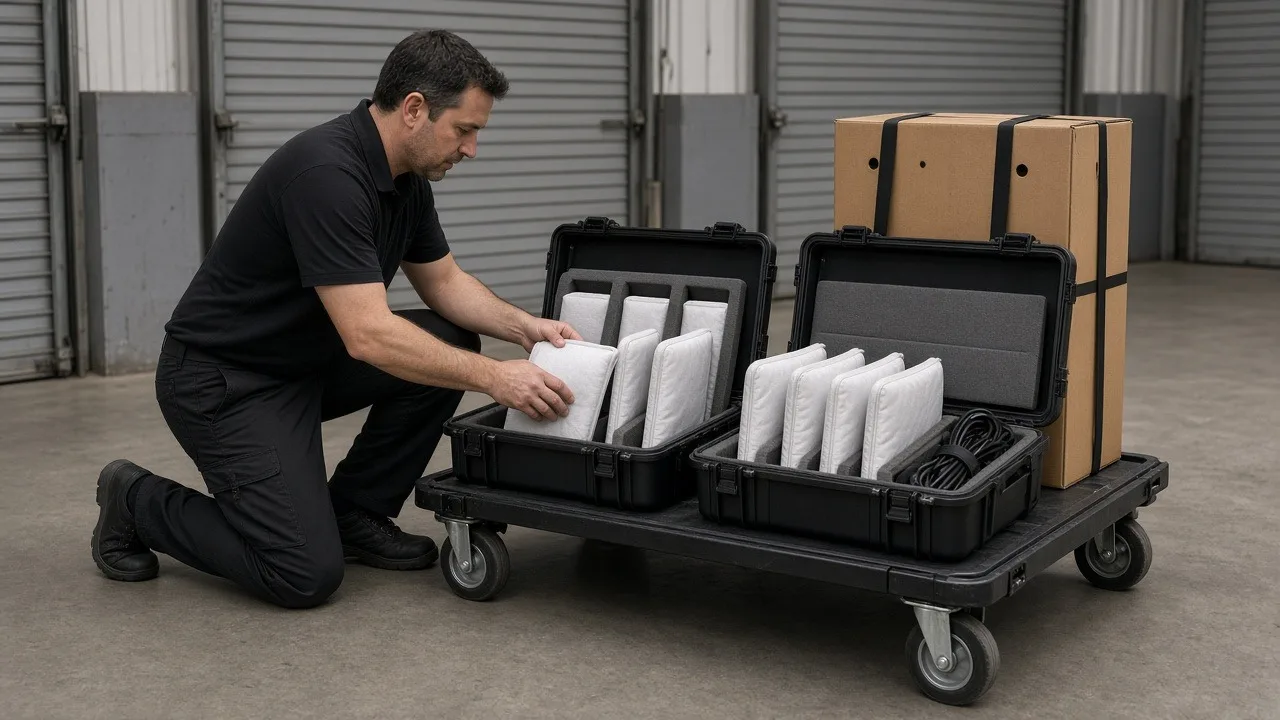
- Keep the original foam inserts and packing materials with the cases.
- Make sure the prepaid return labels from your rental company are in a folder you'll have with you at teardown.
- Check the outbound shipping rules in the service kit. Some venues require outbound freight to go through specific paperwork or a set pickup window.
ConventionVendor.com rentals ship nationwide with prepaid return labels, so the return trip is mostly a matter of repacking and dropping the cases off or scheduling the pickup that matches your label. If you'd rather have someone handle delivery and booth setup in person, on-site setup is available in many areas as an extra-cost add-on. Ask about it when you request your quote.
Repack the way it came
When the show closes, pack each item back into the case it came in, using the original foam. Wrap cables loosely, not tightly around the equipment. Put remotes and small accessories in the pockets or bags provided. Then attach the prepaid return label, cover or remove any old labels, and photograph each sealed case before it leaves your hands.
A quick pre-show checklist
- Read the exhibitor prospectus and service kit for shipping rules and venue fees.
- Choose the delivery address and tell your rental coordinator.
- Order booth power and internet through the official forms.
- Confirm who receives the gear and test it the day it arrives.
- Keep the return labels and packing materials together for teardown.
Ready to plan your booth technology?
Tell us your show, booth size and dates, and we'll put together a rental package with screens, tablets, kiosks or full booth tech kits that ship to you. Request a quote to get started.